What's new?
Admin Workspace - Store Summary
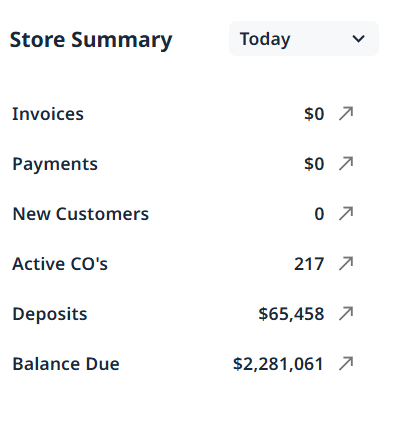
It's back!! When we introduced BP2 Workspaces, we didn't include the Store Summary option but now we have
There is an option to show the information as at today / yesterday / this month / last month / last 7 days / last 30 days / this YTD / Last YTD and the ability to click on the information for a report to generate
Change to the Blackpurl Header - ADD
We have introduced the ADD option where in a simple click, you can ADD a New Customer / New Vendor / New Part / New Labor Code / New Kit / New Fee

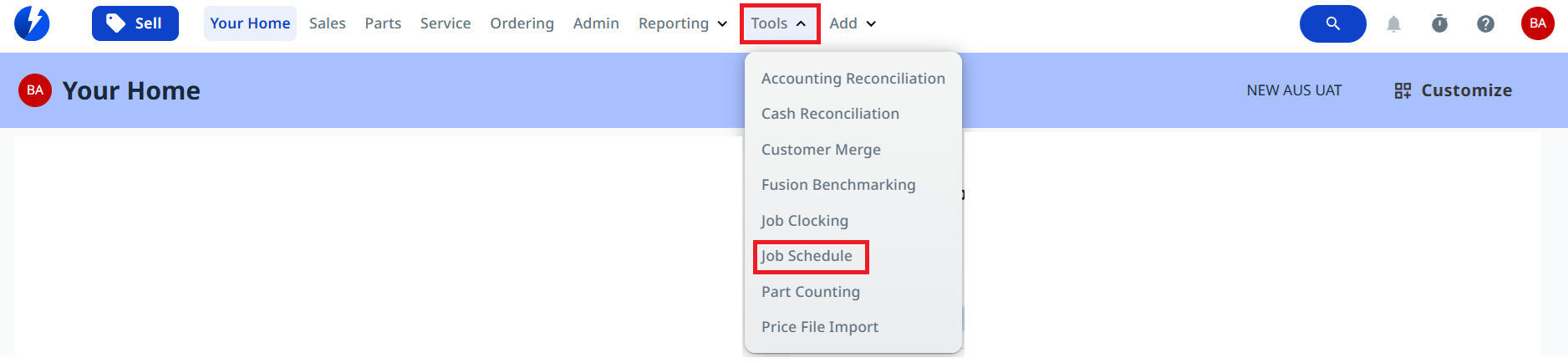
Tools Option > Job Schedule
We have updated the Tools option to now include Job Schedule
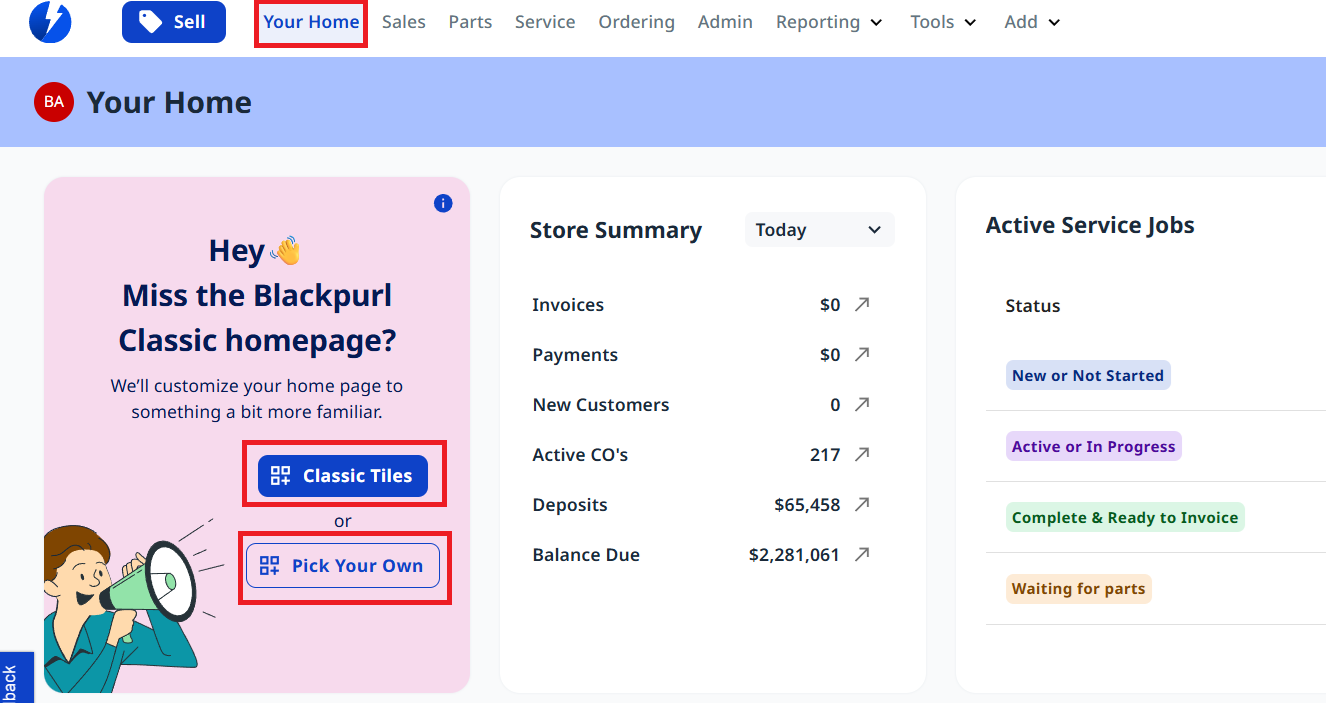
Classic Homepage Tiles
We have now given you the option of Classic Tiles or Pick your Own tiles for the YOUR HOME page
Enhanced Alternate Part Functionality
We have enhanced the alternate part functionality with the following functionalities:
- The alternate parts listing on a part record now includes additional information for each alternate part including: the cost when it was last purchased and when it was last purchased
- Alternate vendors can be defined that do not link to an actual part record but can indicate the part number the alternate vendor uses
- Searching for an alternate part number, even if only a vendor alternate is defined ie: no actual part record, the results will include all part records that reference that alternate part number
- When ordering a part from a different vendor, the part you are ordering can automatically be given an alternate part record which references the different vendor. If no associated part record exists for the different vendor, you can specify the part number the different vendor uses and it will be retained for future use
This option is only available if you select this option through System Settings > Settings and Controls - Shop Settings - Include needs based on Alternates in VOs. By default, this setting will be disabled to stop alternate parts from being included in the Required For lists on a Vendor Order
Dealerships who want to always see those parts can simply enable this new setting
Part search results have been improved to also include MFG#, SKU#. And if the result was included
For further information on alternate parts, please review our updated article - Part Record - Alternate Parts Section / Customer Order - View Related Parts Section / Vendor Order (VO) and Vendor Receiving (VR) for Stock - Superseded Parts
What's Improved?
Resolved - issues with Vendor Orders including when certain vendor orders were not opening and displaying their line item details and when duplicate line items would be added
Resolved - Resolved a Price File Import error and introduced a new custom setting, “Turn14RetailMapping.” If a dealership wants to map the retail price using a MAP column, the value MAP can be configured in this custom setting.
Resolved - Fixed an issue where users were unable to set the base price for an ordered unit
Resolved - an issue where unit detail information was not copied when a unit was converted from a Trade-In unit to a Stock unit, in cases where the Generic unit type was renamed
Resolved - Corrected the Tax Detail Report to display all default columns
Resolved - Fixed an issue where accounting variances occurred due to incorrect pre-sold adjustment amounts when multiple Vendor Receive (VRs) existed for the same part
Resolved - a bulk delete issue when a customer order contained a temporary unit
Changed - the Yamaha Australia Vendor Order export (.txt) file to reflect the required changes made by Yamaha Australia
Resolved - an issue where custom unit data fields were missing from the Units on Order report
Resolved - an issue in the Part Inventory Valuation Report where searching by vendor name was not functioning correctly
Resolved - an issue in generated FTP files where a blank row appeared after every 200 rows, this blank row has now been removed
Resolved - an issue where users were unable to save the contact and shipping address because the provided email was incorrectly marked as invalid
Resolved - an issue where users were unable to change the status back to Committed because it was disabled, preventing invoicing of the part when the fee had already been invoiced under the same customer order
Changed - to ensure users can reverse payments through the checkout modal window without encountering issues
Was this article helpful?
That’s Great!
Thank you for your feedback
Sorry! We couldn't be helpful
Thank you for your feedback
Feedback sent
We appreciate your effort and will try to fix the article